

Country Access Policy
Country Access Policy lets you manage where your videos can be viewed by allowing or blocking access based on the viewer’s country.1. Open Security Settings
-
From your video library dashboard, open the Settings dropdown in the left sidebar and select Security.
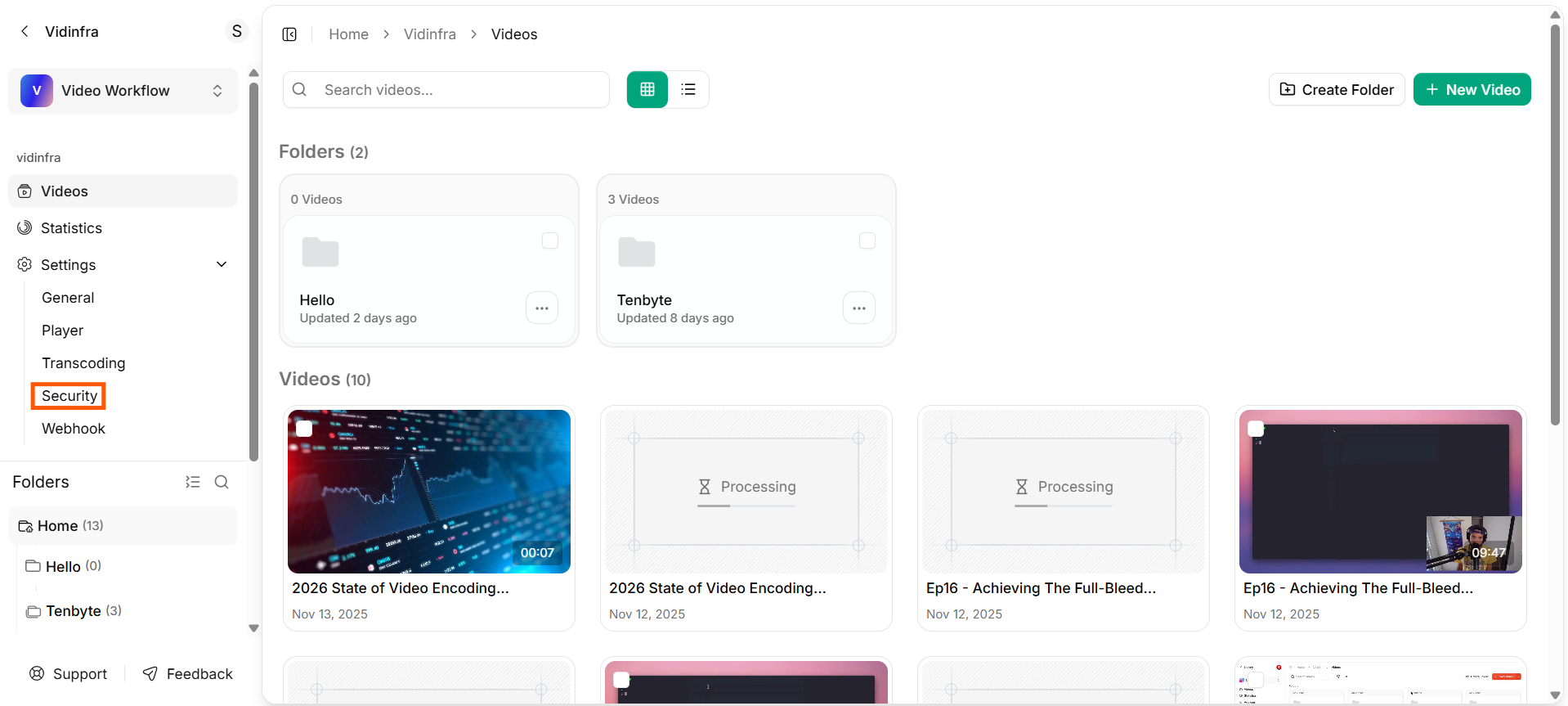
Security Settings
-
This will load the security configuration dashboard, where you can manage access controls.
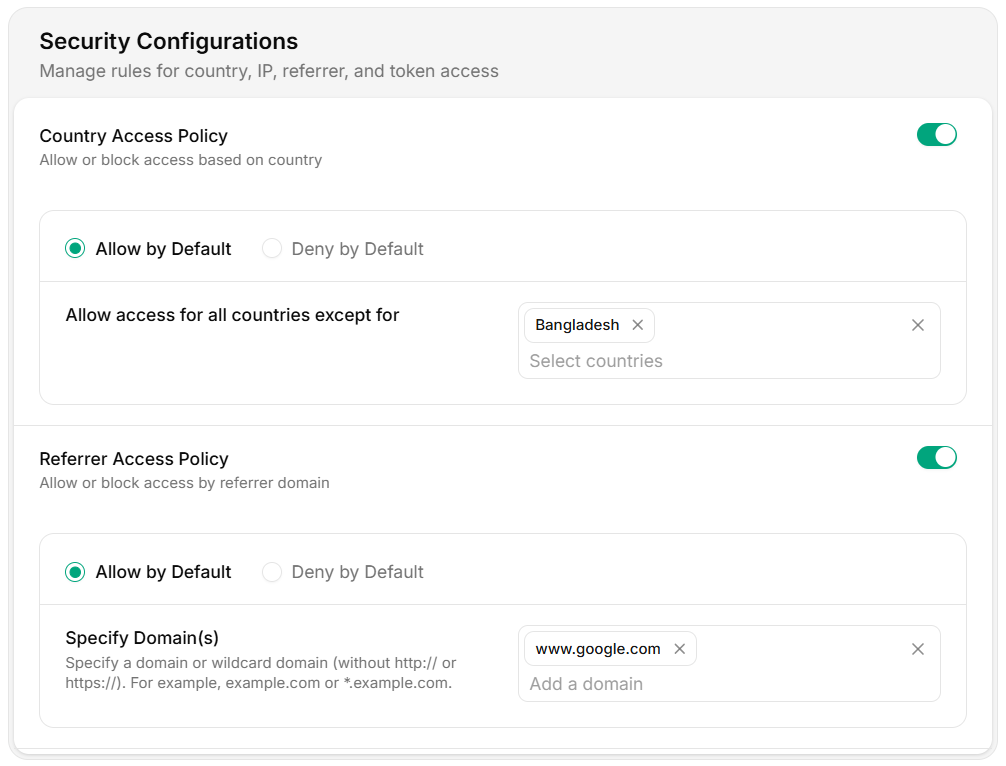
Security Settings Dashboard
-
In the Security dashboard, you will find two access control options:
- Country Access Policy
- Referrer Access Policy.
2. Country Access Policy
The Country Access Policy lets you control where your videos can be viewed by allowing or blocking specific countries.Allow by Default
When selected, your videos are accessible to all countries except the ones you choose to block. Use this option if you want your content to be generally available with a few restricted regions.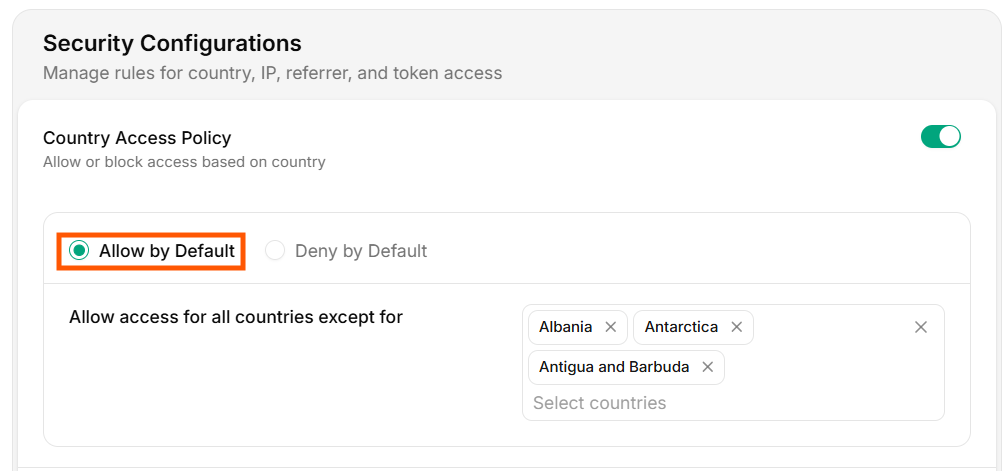
Allow by Default
Deny by Default
When selected, your videos are blocked for all countries except the ones you choose to allow. This option is useful when your content is regional or limited to a specific audience.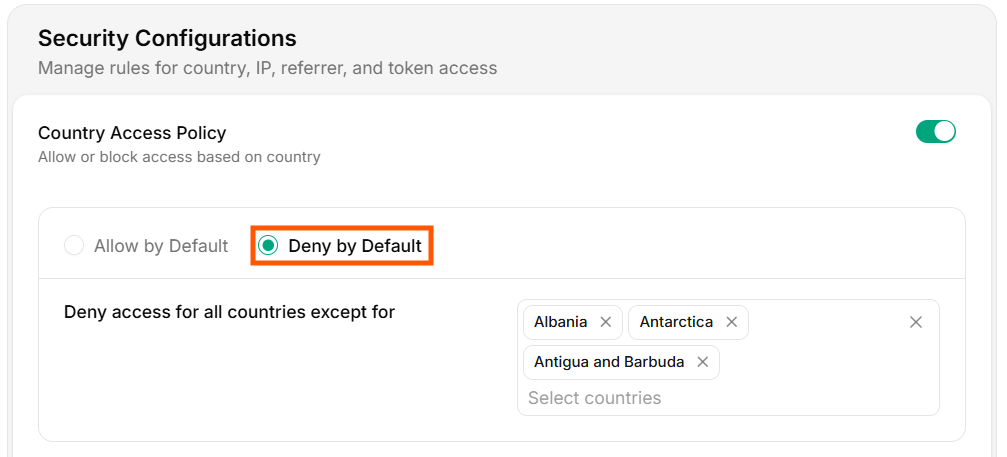
Deny by Default
Select Countries
Add the countries you want to allow or block, depending on your chosen rule. Vidinfra will automatically enforce access restrictions during playback based on the viewer’s location.Adding the wrong countries may restrict viewer access. Double-check your selections.