

Webhooks Overview
See all active and inactive webhooks and manage their configurations with ease.Open the Webhook Settings
-
From the left sidebar, open the Settings dropdown and select Webhook.
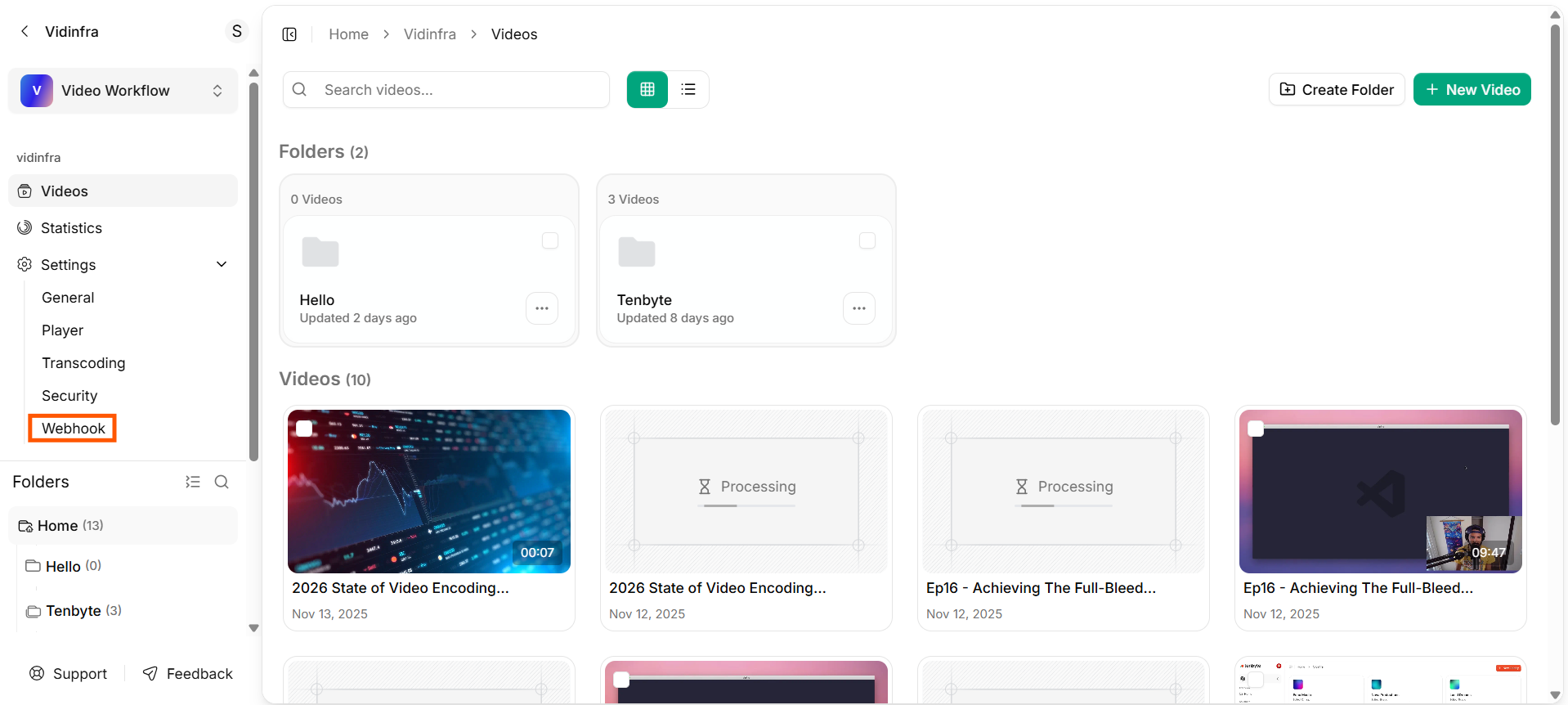
Webhook from Library
- This will open the webhook dashboard for your video library.
-
The Webhooks dashboard shows all the webhook integrations you have created.
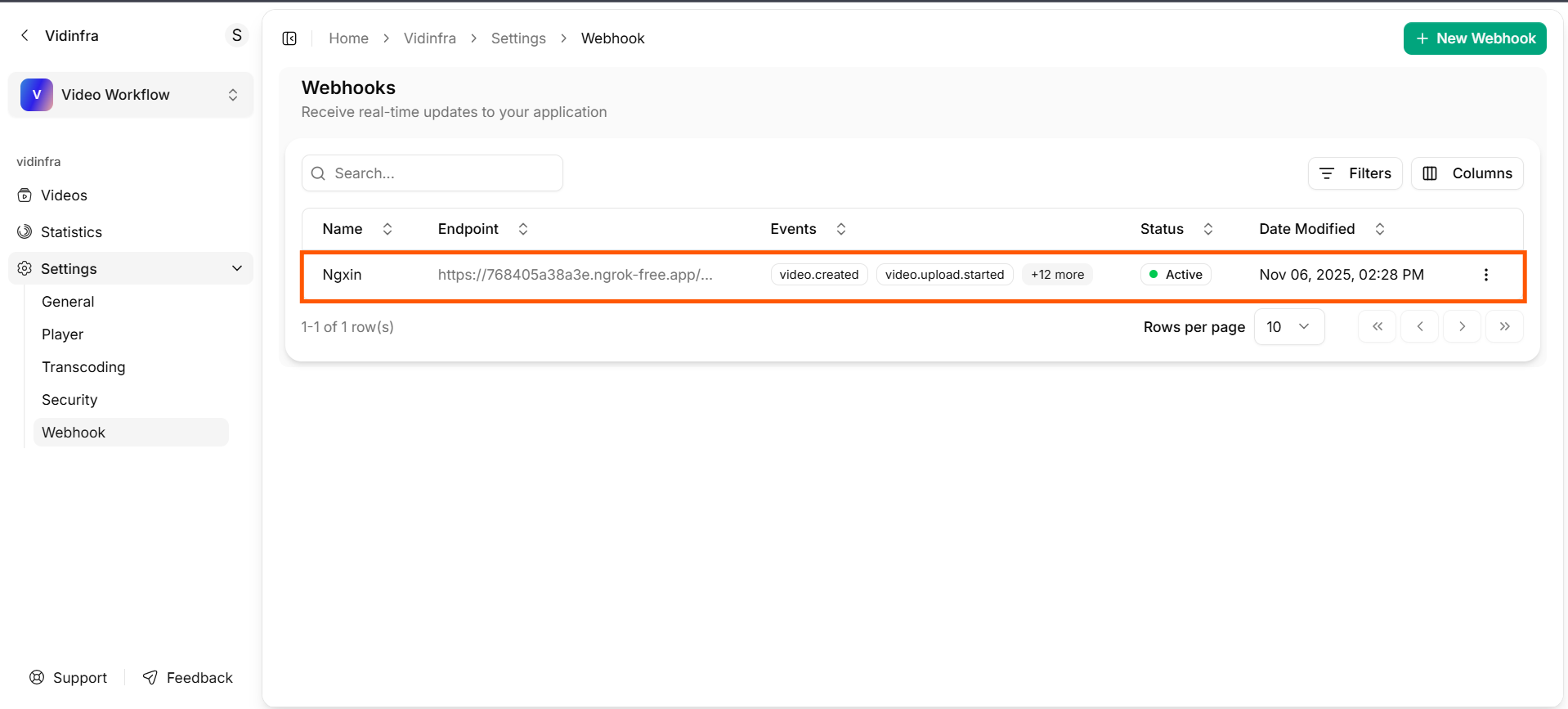
Webhook Dashboard
Name
Displays the name you assigned to the webhook. This helps you identify different integrations at a glance.Endpoint
- Shows the URL where Vidinfra sends event notifications.
- Only valid and publicly accessible endpoints will receive webhook requests.
Events
Lists the video events the webhook is subscribed to, such asvideo.created, video.upload.started, video.upload.completed, video.upload.failed, video.queued and more.
You can see additional events by selecting the event count indicator.
Status
Indicates whether the webhook is active or inactive. An Active webhook is currently receiving event updates.Date Modified
Displays the last time the webhook configuration was updated.Actions Menu
Use the options menu (three dots) to edit or delete a webhook.