

Tenbyte Cloud Snapshots
This guide shows you how to create and manage snapshots for your virtual machines in Tenbyte Cloud.1. Select Compute Section
-
From the left sidebar, click on Compute to view your created virtual machines (VMs).
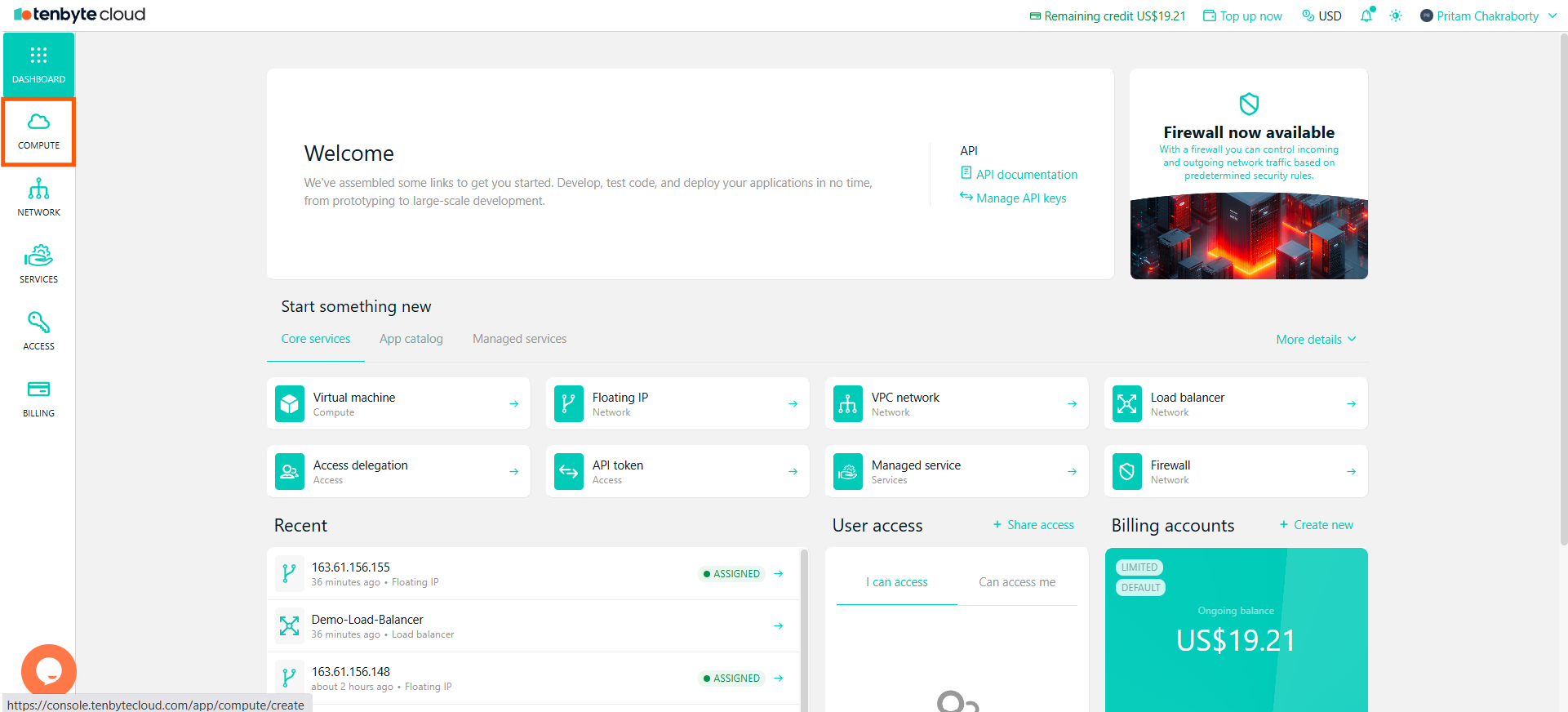
View your created Virtual Machines
2. Choose Your Virtual Machine
-
In the Compute section, you will see a list of all your created VMs.
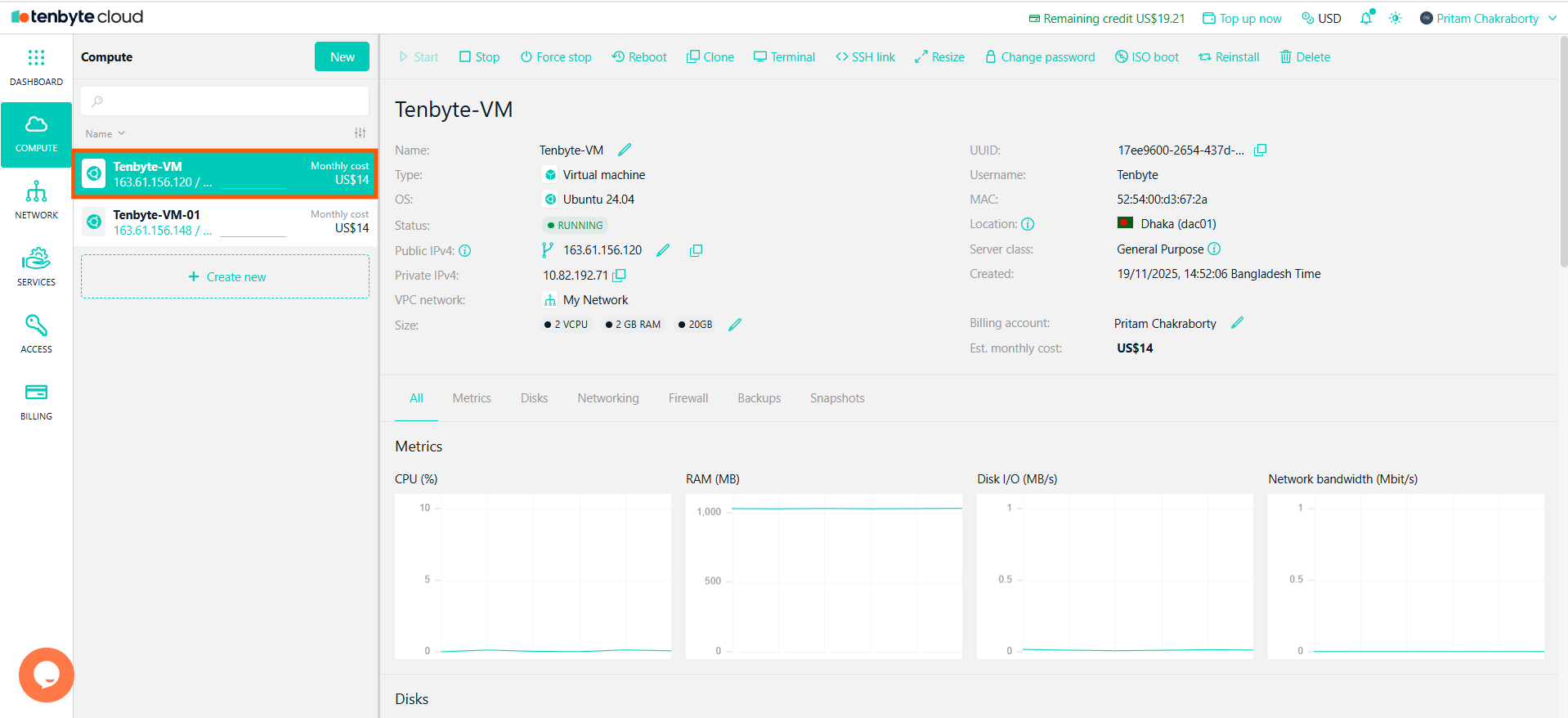
Select the VM
- Select the VM you want to manage.
3. Navigate to the Snapshots Tab
- After selecting your VM, you will see a detailed overview of the machine.
-
Click on the Snapshots tab to manage snapshot for the selected VM.
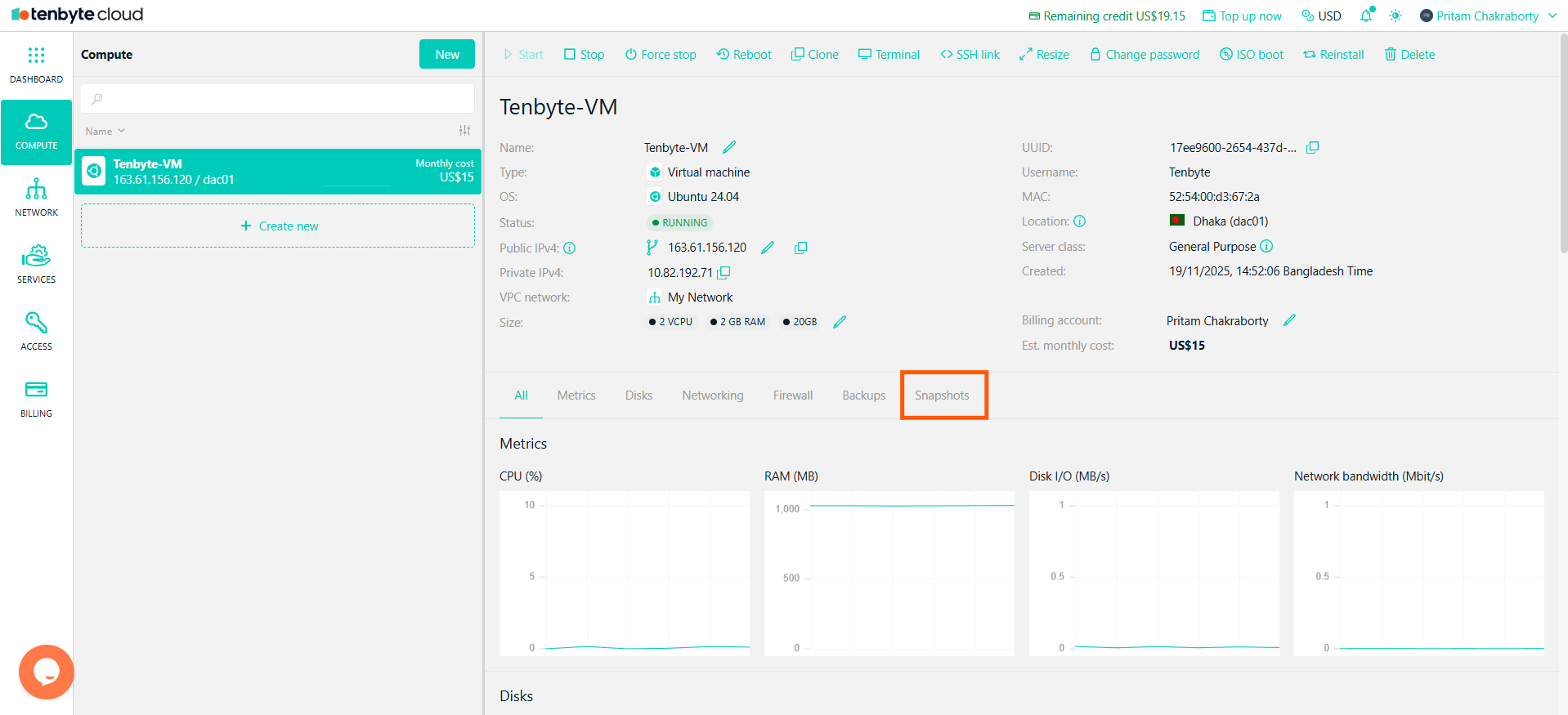
Navigate to the Snapshot Tab
4. Take a Snapshot
- To create a snapshot, click the Take snapshot button.
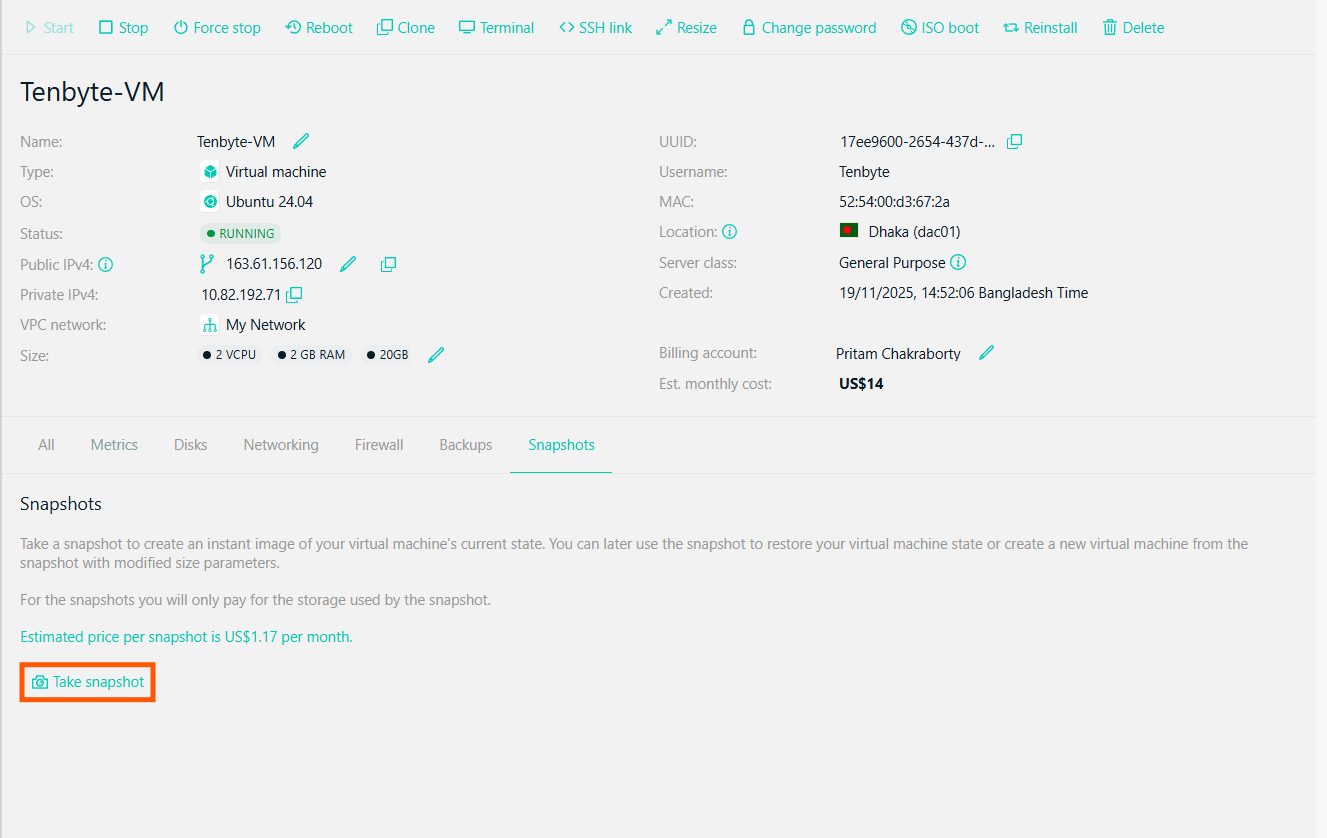
Take a Snapshot
5. Snapshot Details
-
After taking a snapshot, the details will be listed here:
- UUID: The unique identifier for each snapshot.
- Size: The size of the snapshot.
- Creation Date: The date and time the snapshot was created.
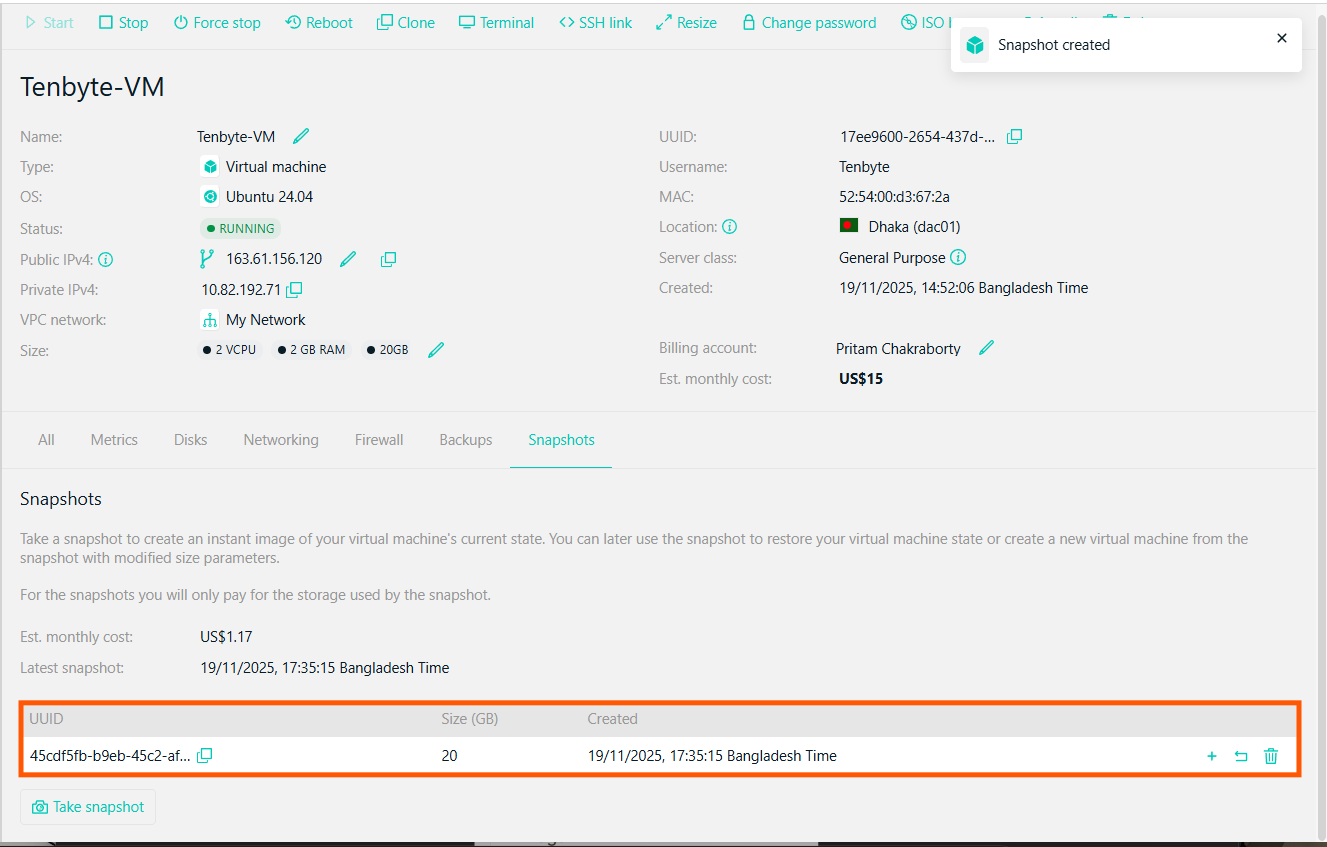
Snapshot Details
6. Manage Snapshots
- Restore: Use the snapshot to restore your VM to the captured state.
-
Create New VM: You can also create a new VM based on the snapshot with modified resources.
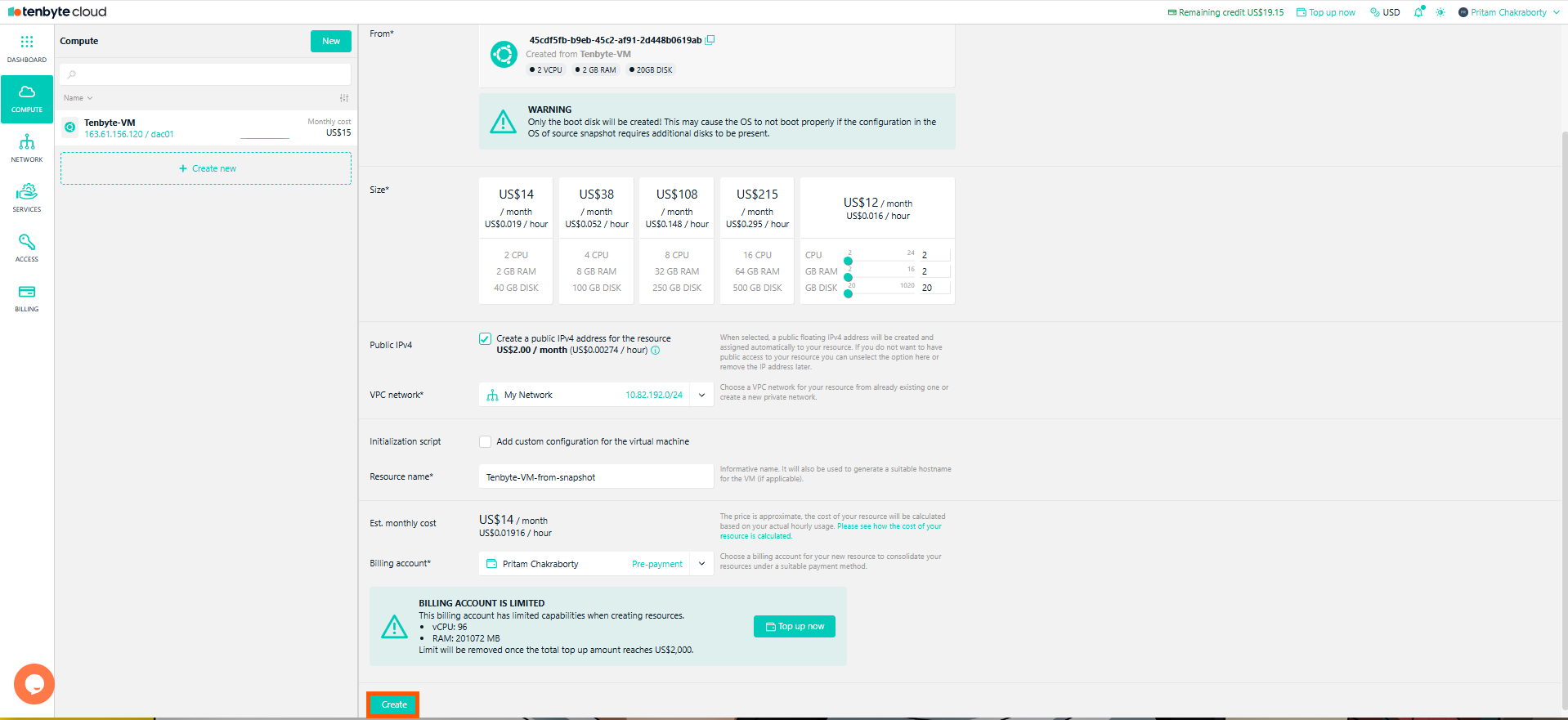
Create a New VM from Snapshot
After creating a VM from a snapshot, you can reconfigure the VM by modifying its resources and settings.
- Delete: If no longer needed, you can delete the snapshot by clicking the trash icon.