

Distribution Overview
The Distribution Overview section allows you to view essential information about your Tenbyte CDN distribution. Here you can monitor the status, domain, and configuration of your CDN distribution.-
To manage your distribution, click the Action button next to your specific CDN distribution and select Manage from the dropdown menu.
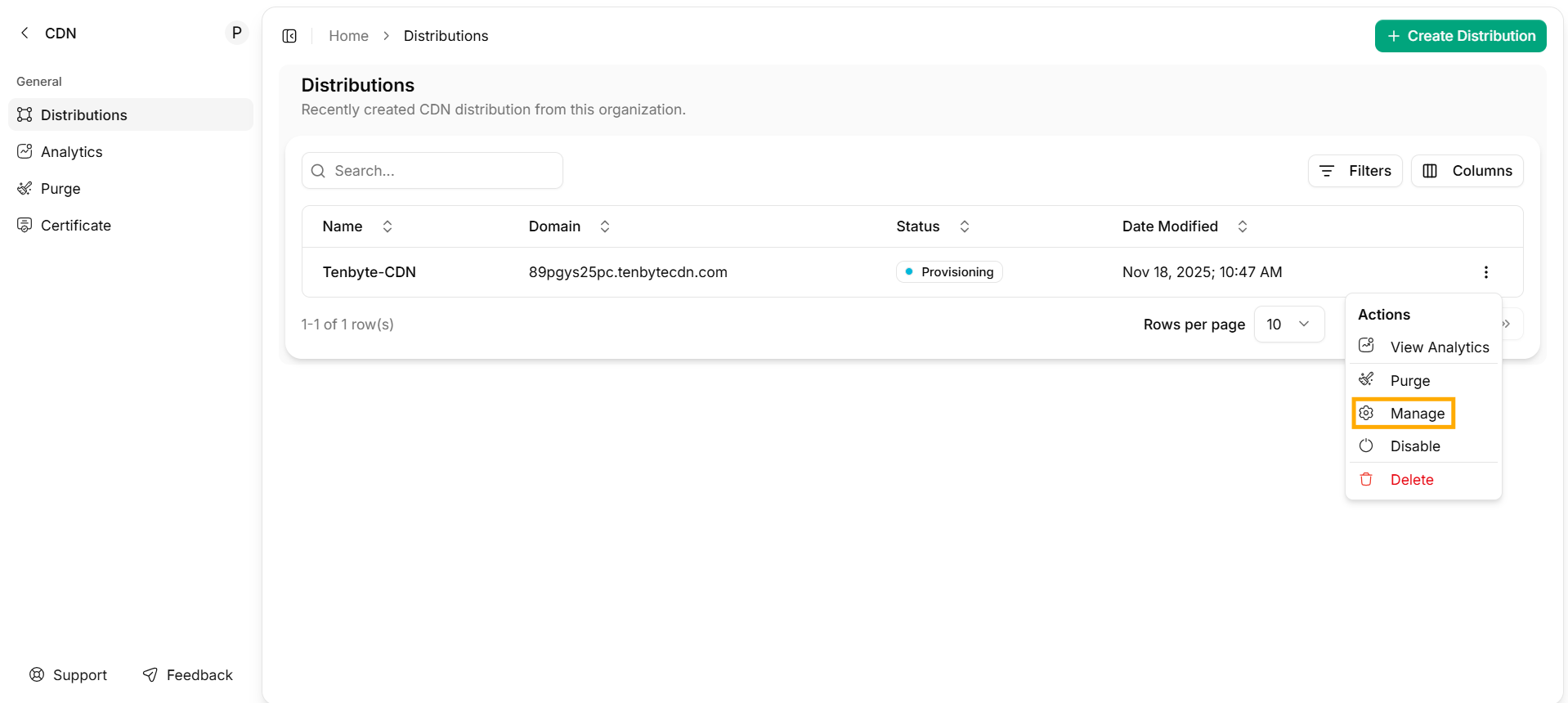
Manage your Distribution
-
A dashboard for your created CDN distribution will appear, allowing you to manage and configure various settings for your distribution.
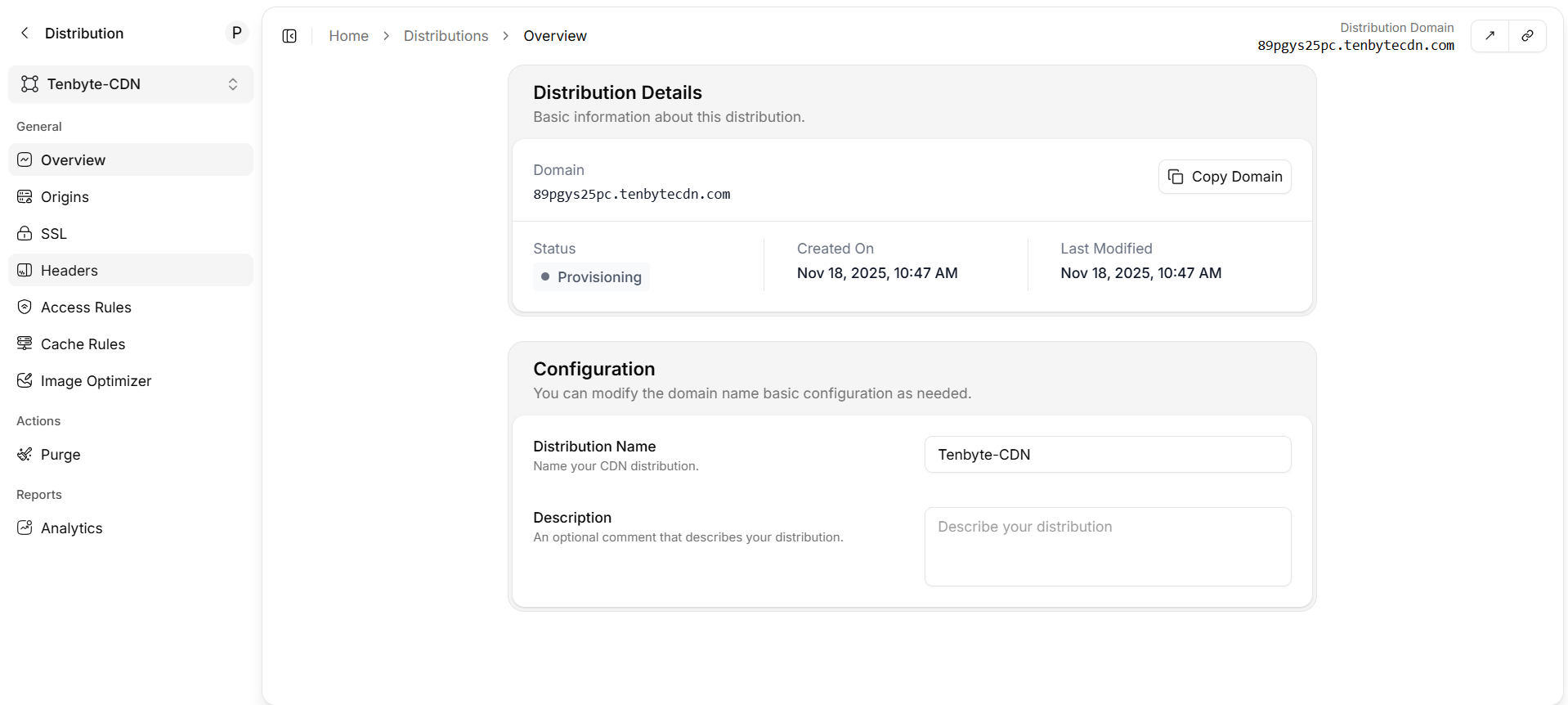
CDN Distribution Dashboard
- Select Overview from the left sidebar, then fill in the required fields such as the Distribution Name and Description to complete the configuration of your CDN distribution.
Distribution Details
This section provides basic information about your CDN distribution.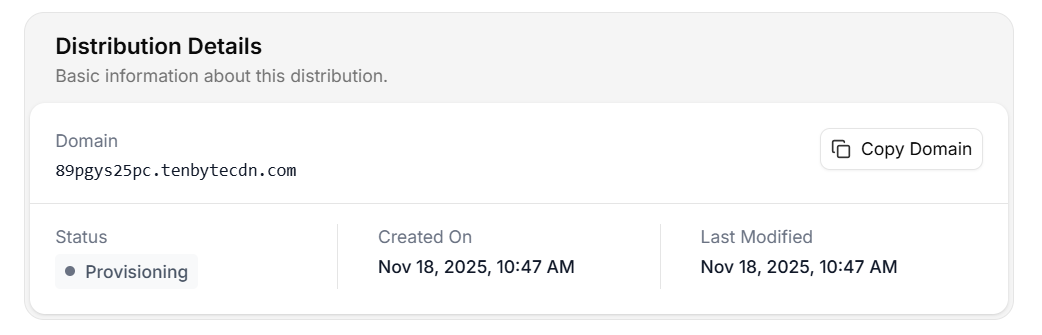
CDN Distribution Details
- Domain: The Domain field displays the unique domain name assigned to your CDN distribution.
- Status: The Status shows the current state of the distribution. It can show various statuses such as
ProvisioningorDeployed. - Created On: This section shows the date and time when the distribution was created.
- Last Modified: The Last Modified field shows when the distribution’s settings were last updated.
Configuration
Here, you can modify the basic configuration of your distribution, including the domain name and other settings as needed for your specific use case.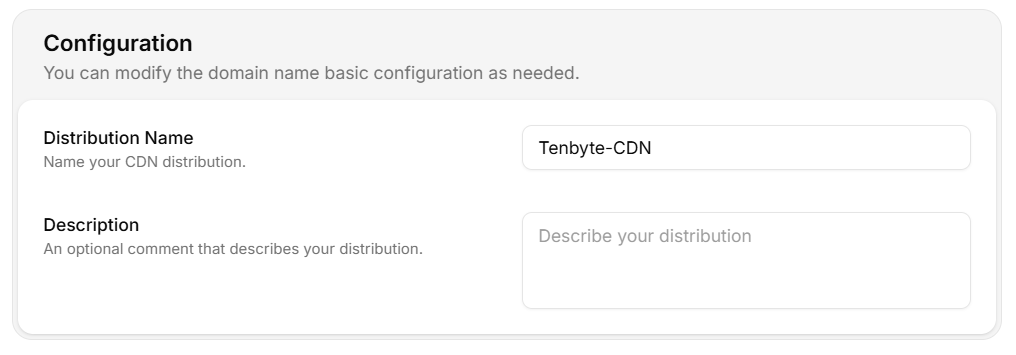
CDN Distribution Configuration
- Distribution Name: You can assign a name to your CDN distribution for easier identification.
- Description: Optionally, you can provide a brief description to describe the distribution, helping you identify it in the future.