

Optimize your Image
The Image Optimizer feature automatically optimizes your images in real-time to enhance site performance. It reduces image size without compromising quality, speeds up load times, and saves bandwidth, ensuring faster page delivery across all devices.1. Turning On Image Optimizer
-
To enable Image Optimizer, click on the Turn on Image Optimizer button.
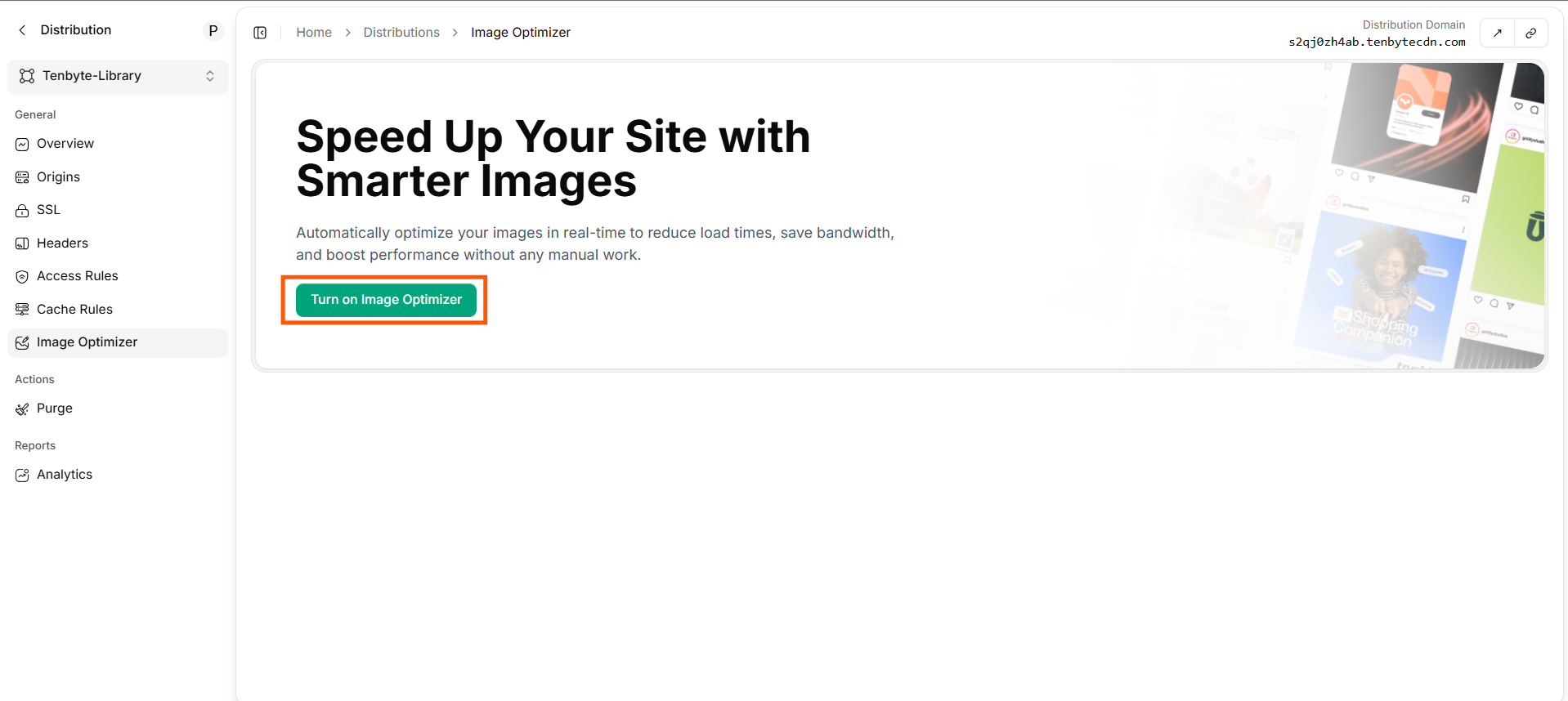
Turn on Image Optimizer
2. Image Optimization in Action
-
After enabling the optimizer, the status will change to Image Optimizer is Active.
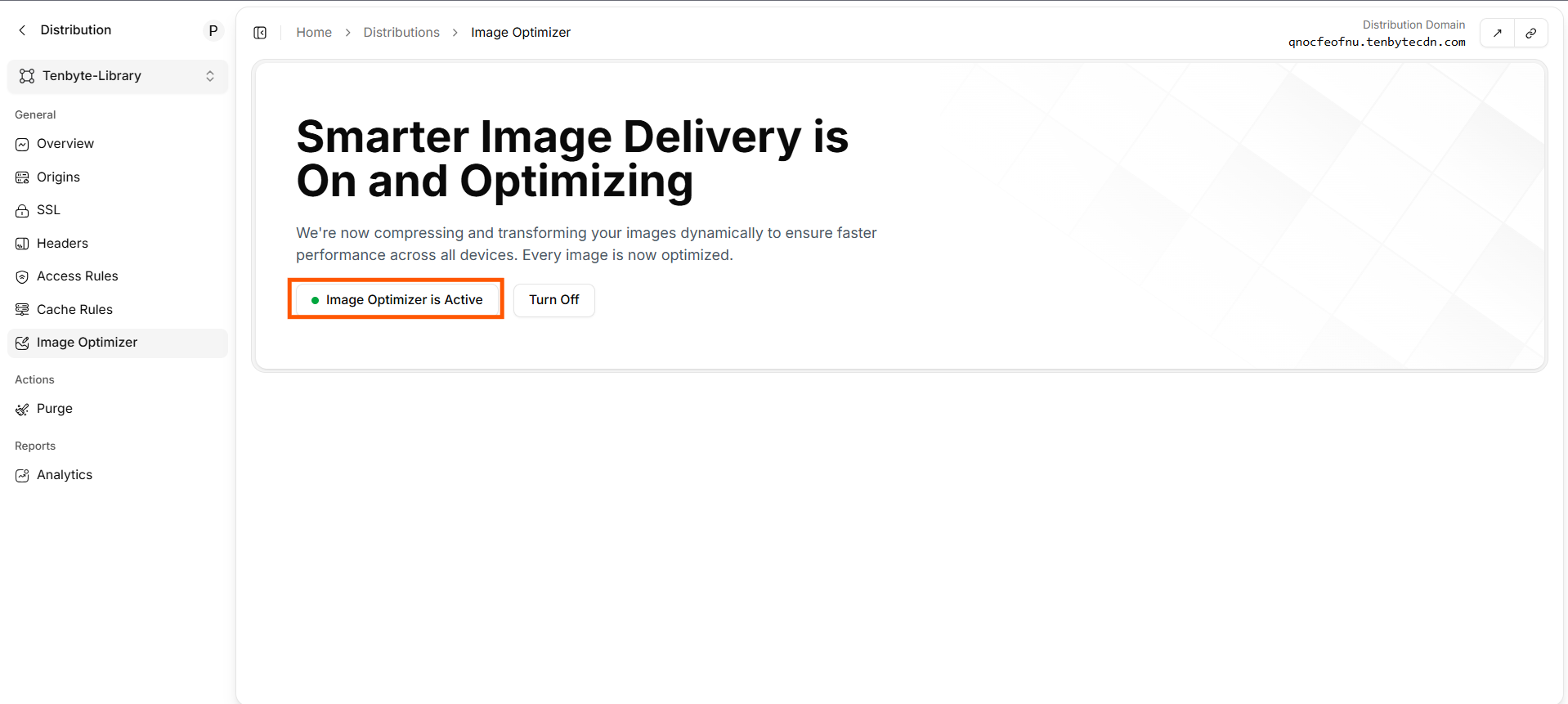
Image Optimizer in Action
3. Turning Off Image Optimizer
-
If you want to stop the image optimization, you can simply click on the Turn Off button. This will deactivate the Image Optimizer, and your images will no longer be automatically compressed or transformed by the CDN.
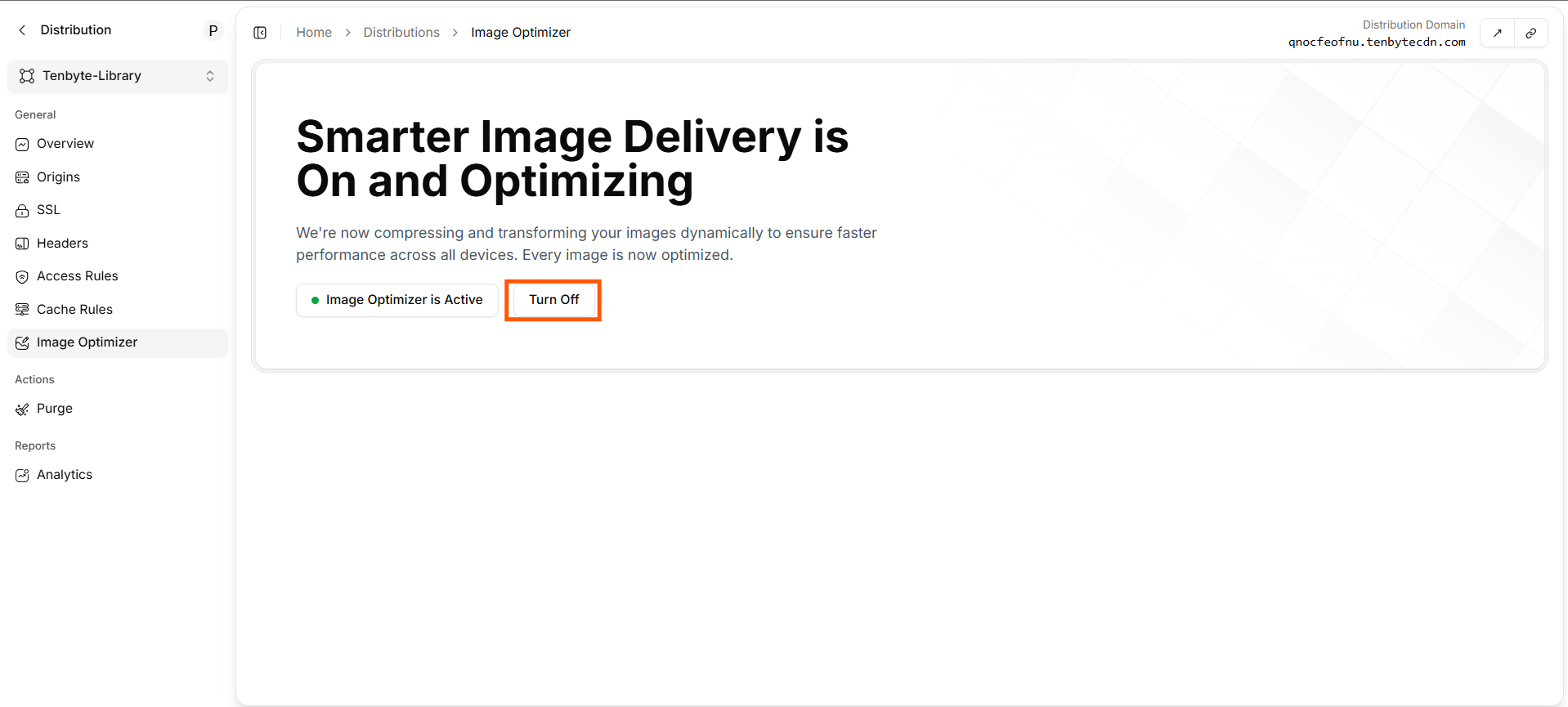
Turn off Image Optimizer