

Manage your CDN Origins
In this section, you can add, edit, or remove origin sources for your CDN distribution.- Hostname: You can add an origin by specifying the hostname.
- S3 Bucket: For cloud storage, you can use an S3 Bucket as your origin.
Steps to Add an Origin:
1. Choose Your Origin Type
Select either Hostname or S3 Bucket to define the type of origin you want to use.2. Configure Your Origin
-
For Hostname: Enter the Origin Name and the Domain / IP address.
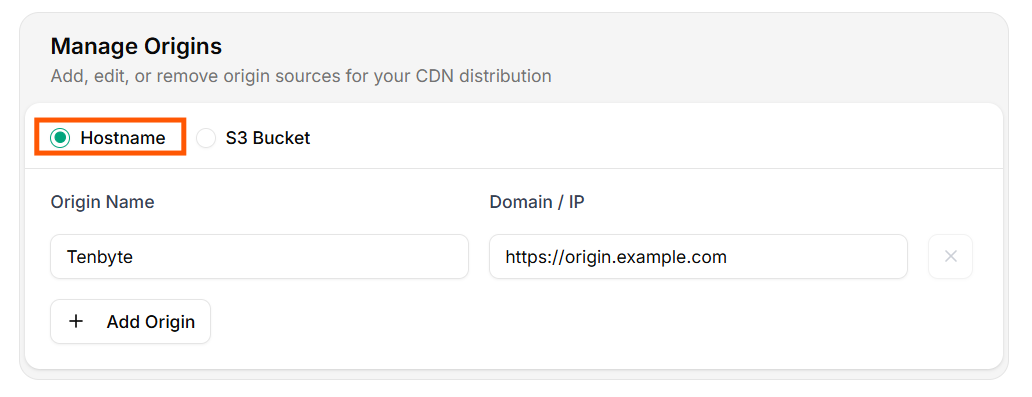
Origin for Hostname
-
For S3 Bucket: Enter the Origin Label, Endpoint, Access Key ID, Secret Access Key, Bucket Name, and Region for your S3 origin.
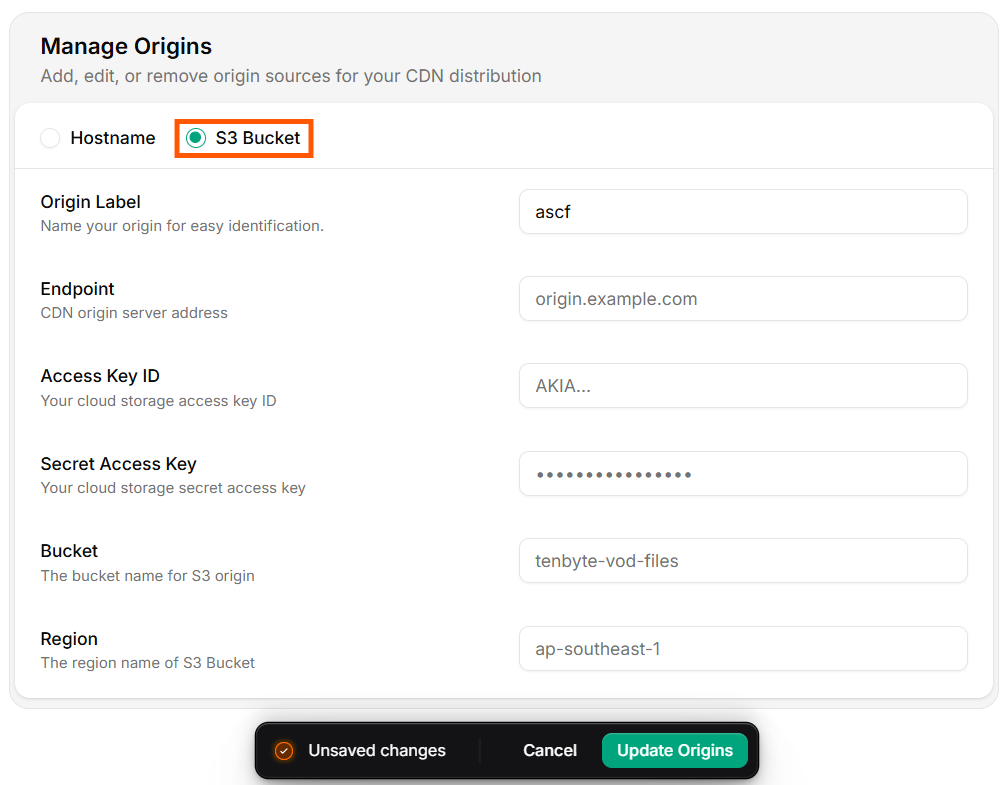
Origin for S3 Bucket
3. Add Your Origin
- Once you’ve entered the required information, click Update Origin to save the new origin.